
Your phone never stops talking.
Echo tells you what matters.
It reads your notifications from WhatsApp, Slack, Teams, Gmail and the rest, then gives you one short briefing, shows who’s waiting on you, and turns what people ask into to‑dos with reminders. On your phone and your desktop.

Free. No account. Private by default.
Echo in two minutes, filmed on the real app.
Your briefing
Two minutes, and you’re caught up.
Echo reads the whole day for you, drops the noise, and speaks the rest out loud, covering today and tomorrow. It arrives at the time you choose, in the voice you choose.
Transcript
Good morning. Rohan is driving to Coorg on Friday and wants to know if you’re in. On Slack, Karan needs the deck before tomorrow’s review, and Vikram wants your sign-off on the release notes before 5. Neha moved the demo to tomorrow evening, and Mahesh asked for your review on GitHub. Priya landed safely, and the college group has the trip sorted.
Who’s waiting
See who needs you, and what they asked.
WhatsApp, Slack, Teams, Gmail and the rest, in one place. Reply in a tap, react without opening the chat, or ask Echo to remind you later. Busy groups come summed up.
Needs you
 Rohanto you
“Coorg on Friday? I’m driving, leaving early. You in?”
 Vikram · #launchmentions you
“Can you sign off the release notes before 5?”
Priyato you“Landed! Thank you for the airport tips 🙌”
Busy groups
not for youYour list
Your to-do list writes itself.
What people ask of you becomes a to-do, with who asked and where. Every to-do can remind you, and the reminder opens the exact chat it came from.
Four of your to-dos name a time. Want me to remind you before each? I’ve marked my times with .
Today
4 left · next at 5 PMTomorrow
7 things, starting with the design reviewKaran: “Can you send me the deck before the review?”
Ask anything
Ask Echo. Then let it reply.
Echo answers from your own notifications and shows exactly which ones it used. Ask it to draft a reply, and you decide when it goes.

Launch is still on for Tuesday. 1 Mahesh fixed the Android blocker and his PR is waiting for your review, 2 and Vikram needs your sign-off on the release notes before 5. 3
Neha · 9:12 AMMahesh · 9:20 AMVikram · 9:34 AMThe Vault
Everything it heard. Your rules.
See when your phone was loudest and who it was. Switch an app off and Echo leaves it out of your briefing, your list and your answers.
1511 6
6

Your week
See what Echo did for you.
A streak for every morning you listen, and the week in three numbers: to-dos done, replies sent and messages Echo read so you didn’t have to.

And on your desktop
Your phone shares your day with your desktop.
A workspace for getting through what came in, not your phone made bigger. They find each other on your Wi‑Fi, with no server in between.
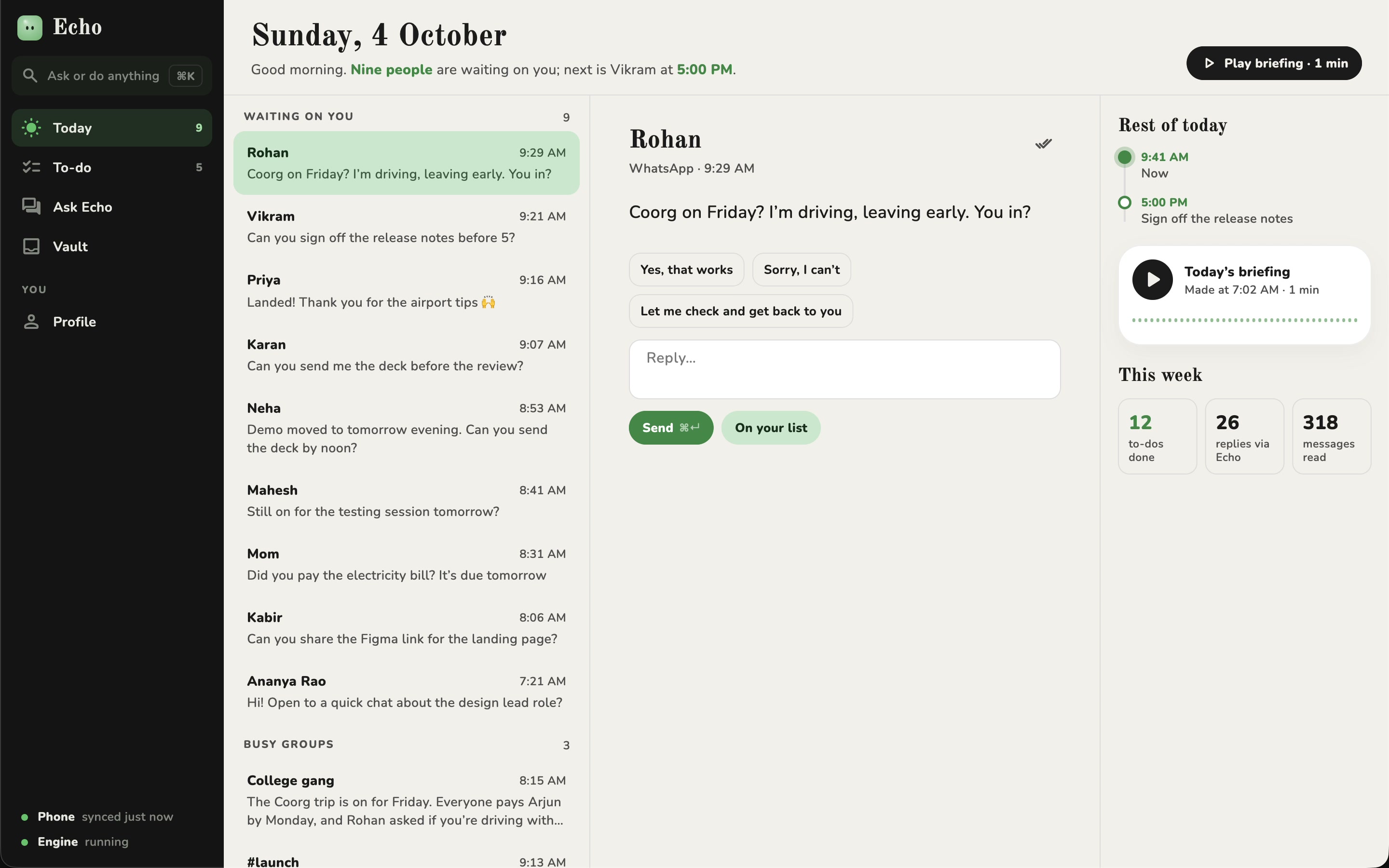
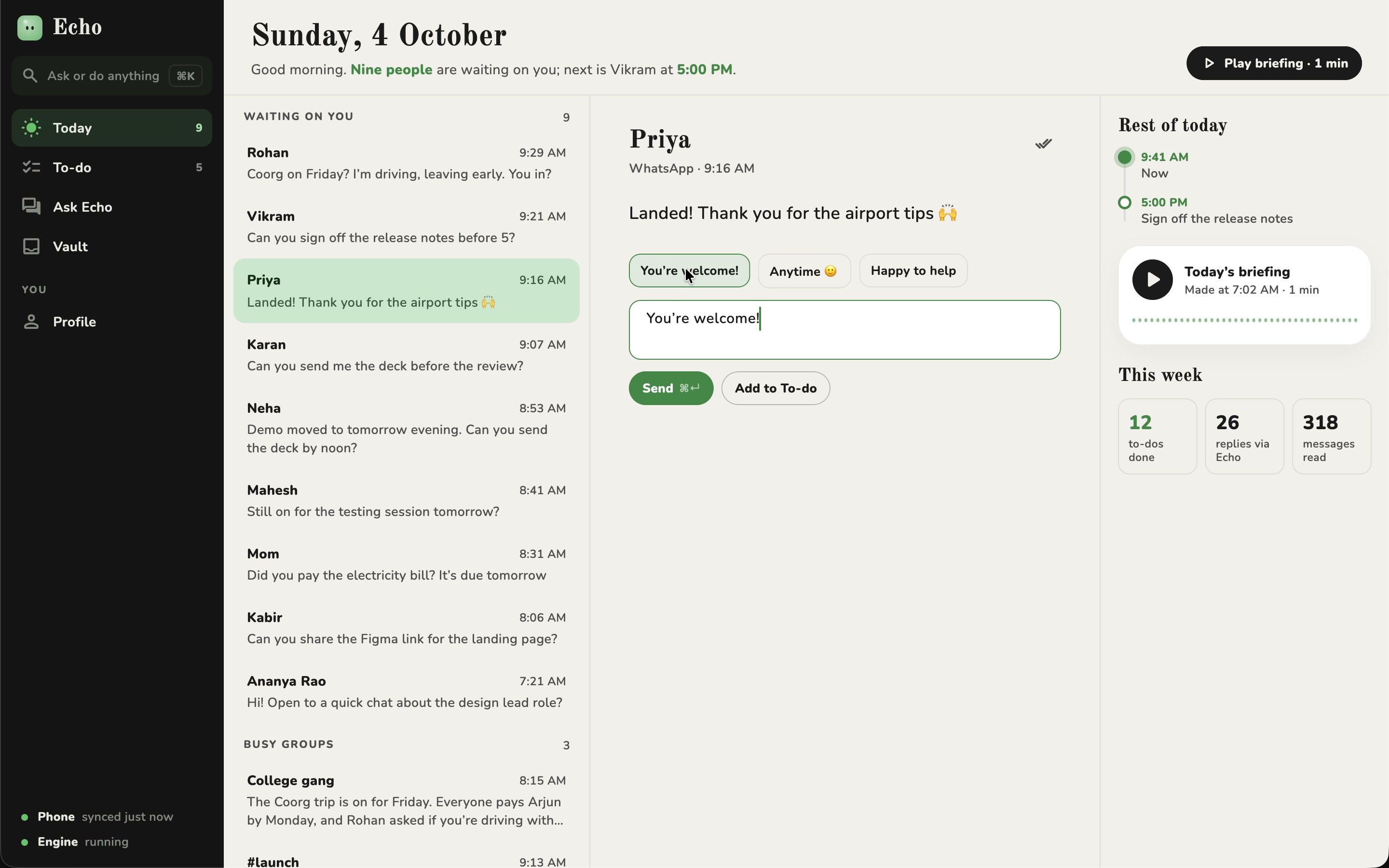
Clear your day from the keyboard.
Move down the list with J and K, pick a suggested reply, and send it with ⌘↵. It goes out through your phone, from your own account.
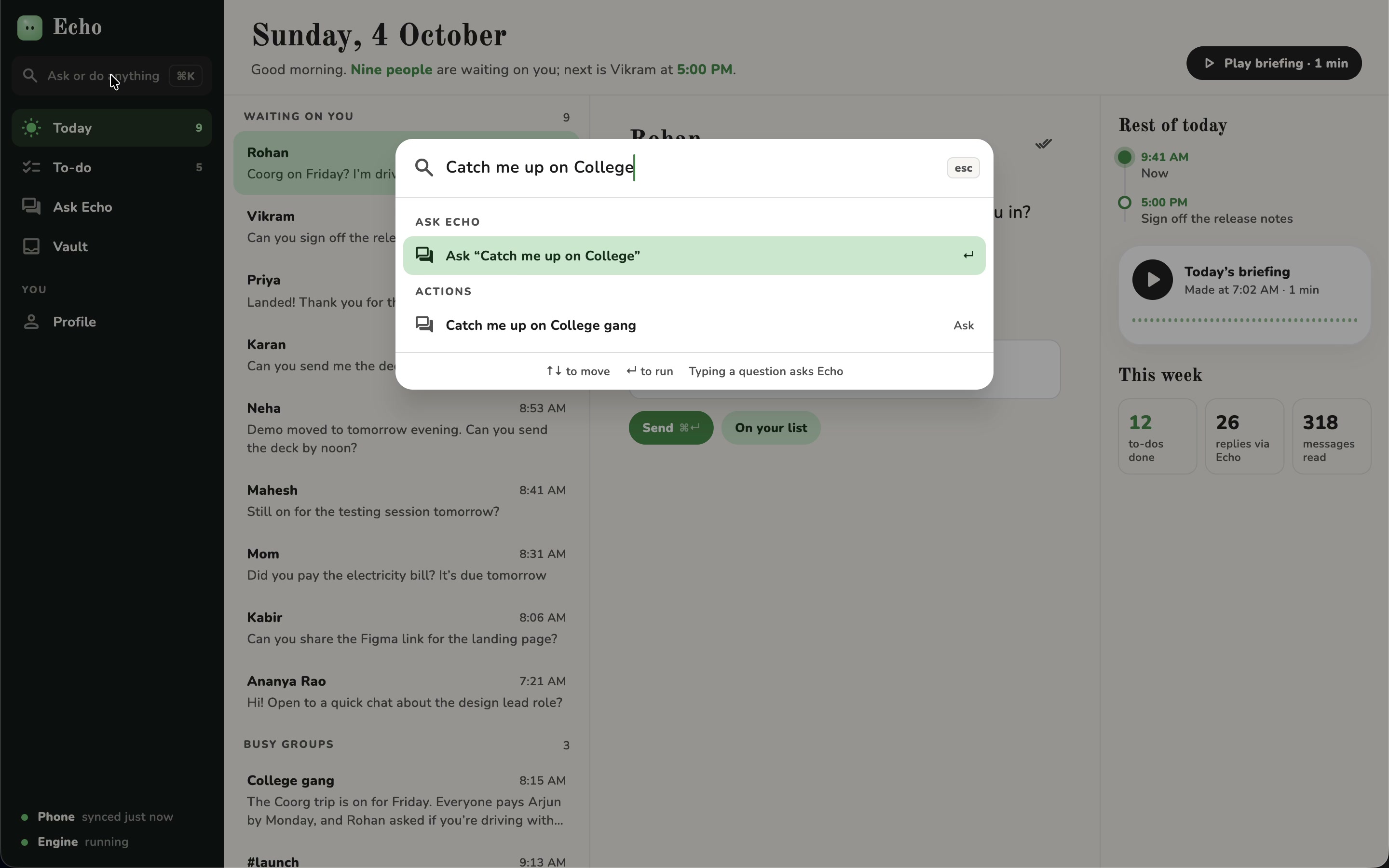
⌘K. Ask from anywhere.
One shortcut to ask Echo anything, reply to someone, or add a to-do, wherever you are in the app.
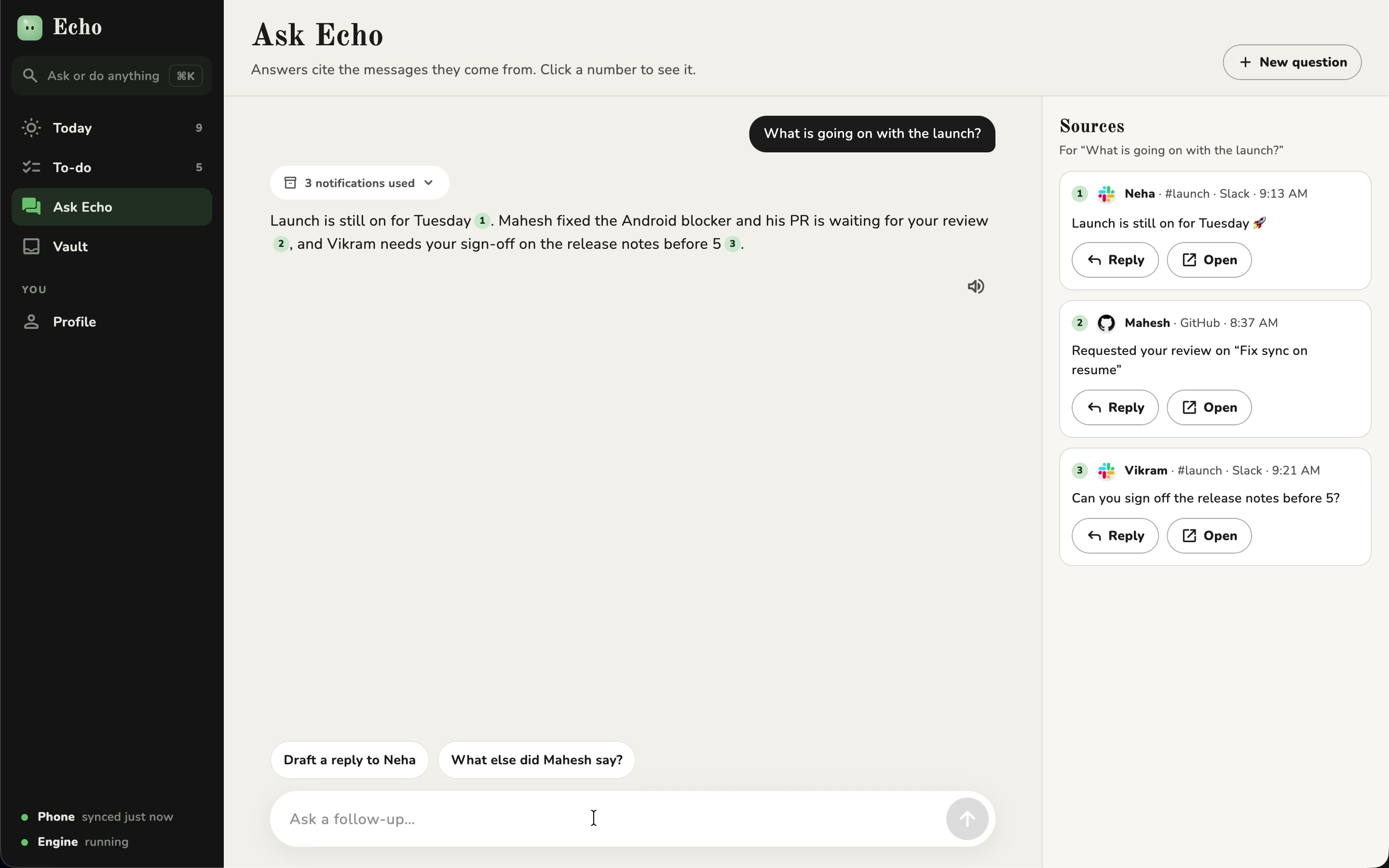
Every answer, with its sources.
The messages behind an answer sit beside it, so you can check them and reply from right there.
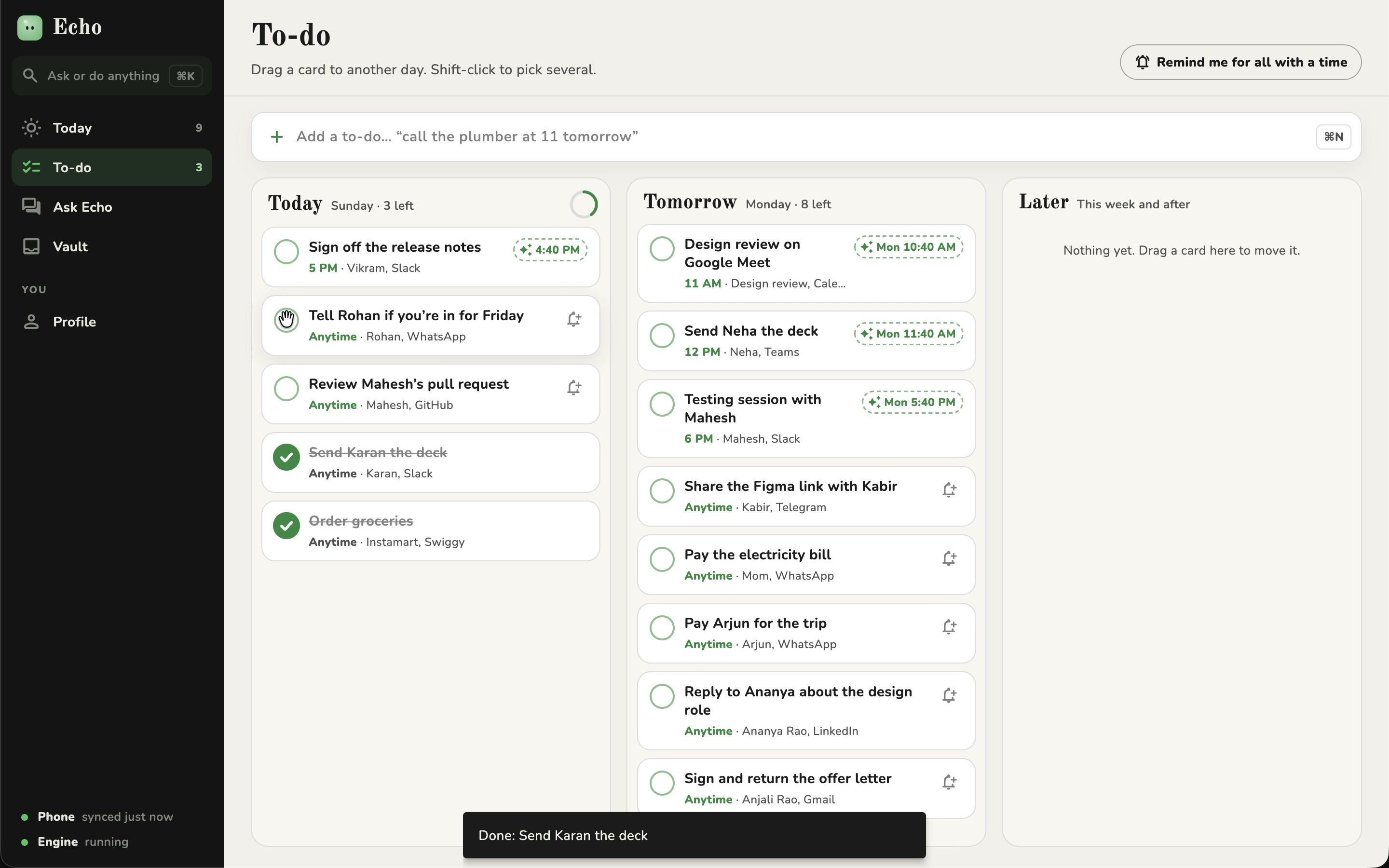
One list, on both screens.
Drag a to-do to tomorrow, or tick one off. Your phone follows a moment later.
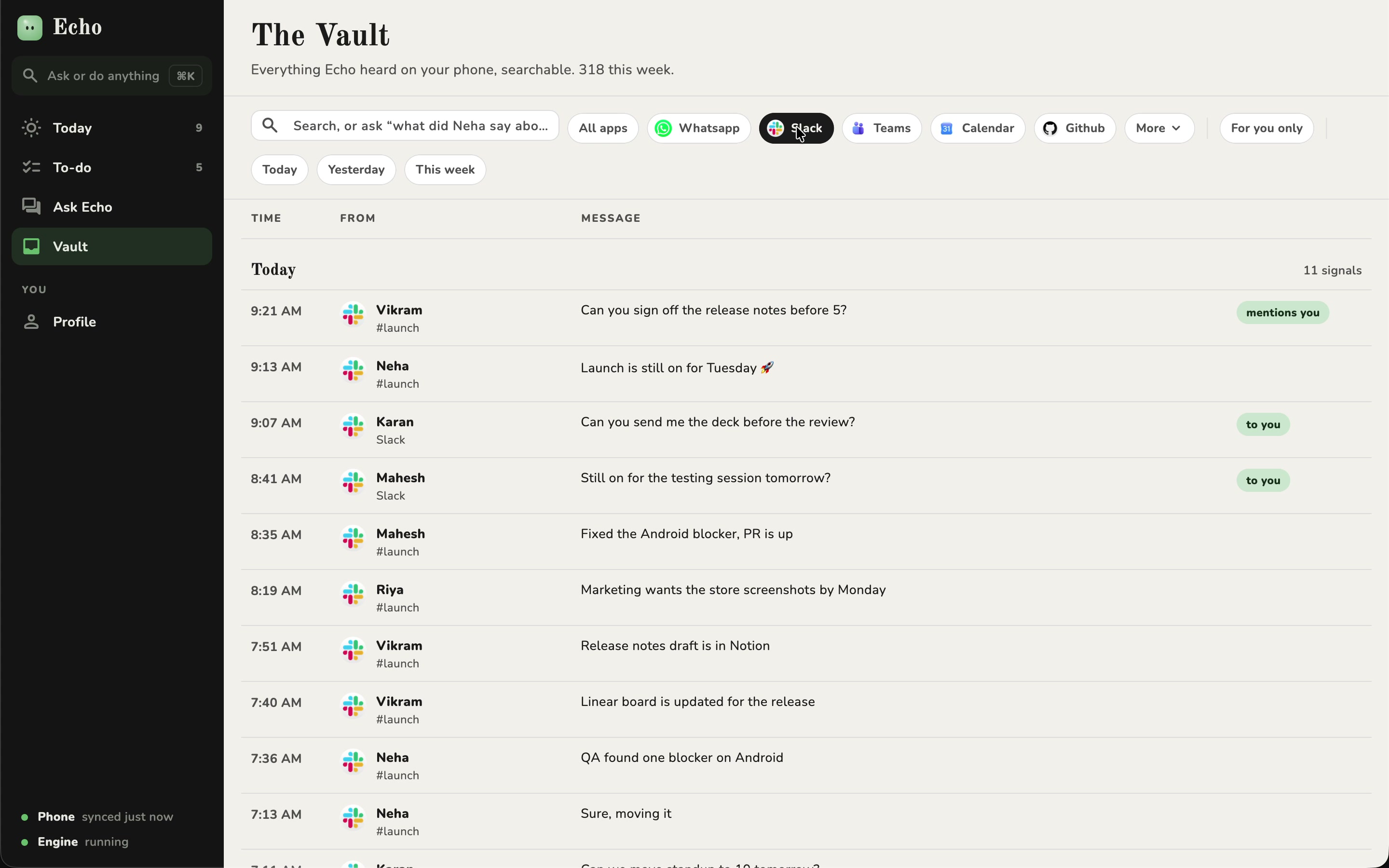
The whole Vault, on a big screen.
Everything Echo heard, searchable and filterable by app, with room to look around.
Private by default
Your day is nobody’s business but yours.
Echo reads sensitive things, so it keeps them on your devices. This is exactly what’s on and off the day you install it.
Good to know
Is Echo really free?
Yes. The on-device engine is free, with no subscription and no account. If you opt into the Google Gemini cloud engine, that uses your own API access. Echo itself stays free.
Does my data leave my phone?
Never to us. By default your notifications and calendar are processed on your own devices. Text goes to Google Gemini only if you turn on the cloud engine with your own key, and to your desktop only if you pair one, directly over your Wi‑Fi.
How does Echo see my notifications?
With your permission, Echo uses Android’s notification access. You choose which apps it hears, and you can revoke notification, calendar and microphone access any time in system settings.
Which apps does Echo work with?
Any app that shows notifications on your phone: WhatsApp, Slack, Teams, Gmail, Outlook, Calendar, GitHub, Jira, Notion, Telegram and more. You switch each one on or off in Apps Echo hears.
Can Echo reply for me?
Only when you say so. Echo suggests or drafts a reply, and nothing is sent until you tap Send. Replies go through the app’s own notification reply, from your account. Replies written on your desktop are sent by your phone.
Do I need an account?
No. Install Echo, set your briefing time and voice, and you’re ready. Your Vault and settings live on your device.
Which platforms is Echo on?
Android, from Google Play, plus a desktop app for Mac and Windows. On the same Wi‑Fi, your phone shares your day with your desktop automatically.
 Scan to download